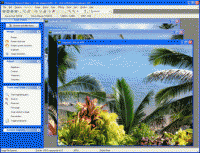
PixSmart makes working with your digital images easy and fun. All popular formats and many other graphic formats supported. Many ways to edit, enhance and manipulate your images. Full-featured screen capture. Portable slide shows. Email images. IPTC.
PixSmart makes working with your digital images easy and fun. All popular formats and many other graphic formats supported, including JPEG, TIF, GIF (including animated), BMP, PNG, PSD, WMF, EMF, TGA, PCX, MAC, WPG, and more.
Many ways to edit, enhance and manipulate your images. Full-featured screen capture gives you tremendous capturing flexibility. Magnifying glass, pan window and other viewing options. Portable slide shows. Email images. IPTC compliant. Convert between formats. Powerful image browser allows for resizing and rotate batches of images simultaneously.
Crop, Resize, Rotate, Shear, Trim, Despeckle, Duplicate, Adjust brightness and contrast, Sharpen, Equalize, Gamma correct, Adjust saturation and hue, Remove red-eye, Set color resolution, Balance colors, Invert colors, Swap colors, Perform color separations and merges, Convert images to grayscale, Create halftones, Posterize, Solarize, Create mosaic effects, Emboss, Add and remove blurs of different types, Add and remove noise, Apply underlay patterns, Blend and combine images, Create oil painting effects, Add text and Draw effects.
Create slide shows using thousands of transition effects. Save slide shows for future use. Package shows in single file stand-alone applications that can be emailed easily from PixSmart. Add titles/captions to each slide. Precision control of show while it is playing.
Drag and drop images from PixSmart and to PixSmart from other Windows applications.Requirements:
Windows 32bit, 8mb Disk Space
Operating system:
Win95,Win98,WinME,Windows2000,WinXP
Release notes:
New Release

MagicBD is a graphic software which can be used to draw many kinds of iconographies, illustrations and sketch maps.It can also be used to edit images to process them or get some special effects.
Price: $28, Rating: 10, Downloads: 234
Download
Pos Free Photo Editor is a free photo editor from the authors of the best free professional photo editor - Photo Pos Pro free photo editor. The software is simple and very user friendly photo editor, that lets you easily view, and enhance your photos
Price: $0.00, Rating: 10, Downloads: 190
Download

Design over 10 photos by few mouse clicks. Easily create photo book, collage, calendar, greeting cards, wedding photos and more artworks.
Price: $39.95, Rating: 0, Downloads: 171
Download
Image Frame is a Photoshop-compatible plug-in for easy creation naturally-look 3D frame. Add frame and text to your photos. You can apply rectangular and elliptical frame, change frame profile, material, and lightening.
Price: $14.95, Rating: 10, Downloads: 160
Download 
 PixSmart Digital Imager 1.0 details